WordPress Themes

WordPress Themes

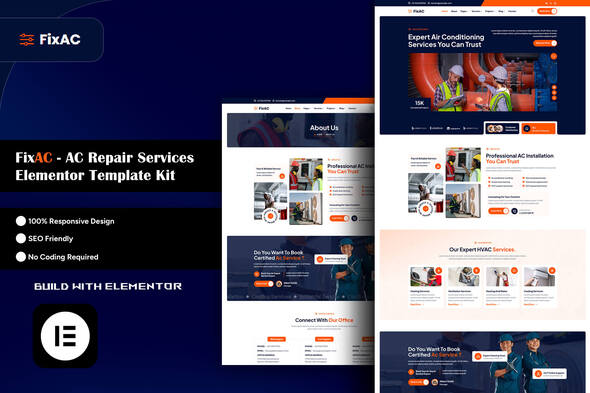
FixAC – AC Repair Services Elementor Template Kit

Creating a professional website for an AC repair or HVAC business no longer needs to be complicated. FixAC – AC Repair Services Elementor Template Kit is designed to help service-based businesses launch a polished, responsive, and conversion-focused website with ease. Whether you run an air conditioning repair company, a heating and cooling business, or a general home maintenance service, this template kit gives you a ready-made foundation to build a strong online presence. FixAC is built for businesses that want a modern design without the headache of coding. Since it works with Elementor, users can edit pages visually using drag-and-drop tools. This makes it a practical choice for beginners, freelancers, agencies, and business owners who want to save time while still getting a premium-looking website. A Professional Website Solution for HVAC and Repair Businesses For service businesses, first impressions matter. A clean and trustworthy website helps customers feel more confident when booking repairs, requesting quotes, or learning about available services. FixAC is built with that goal in mind. Its design is modern, neat, and business-focused, helping HVAC and maintenance companies present their services in a more professional way. The template kit is fully responsive, which means the website layout automatically adjusts for desktops, tablets, and mobile devices. It is also retina-ready, so graphics and design elements appear sharp and clear on high-resolution screens. This is especially important for businesses that want to maintain a professional image across all devices. Another major advantage is customization. With Elementor, users can easily update colors, fonts, content sections, and images without touching code. This flexibility makes the kit suitable for a wide range of service businesses, from local AC repair providers to larger heating and cooling contractors. Who Can Use FixAC? FixAC is a versatile Elementor template kit created for multiple home service industries. It works especially well for: If your business needs a website that clearly presents services, builds trust, and encourages inquiries, this kit can be a strong choice. Main Design Benefits One of the standout features of FixAC is its clean and conversion-oriented design. It focuses on readability, service presentation, and user-friendly navigation. Customers can quickly explore your services, view projects, read testimonials, and contact your team. Some of the main layout and design benefits include: These features make the design process faster and easier, especially for users who want a unified website appearance across all pages. Pages Included in the Template Kit FixAC comes with a well-rounded collection of pre-designed pages and sections, making it easier to build a complete business website. The included layouts cover the most important pages a repair or maintenance company may need. The kit includes: This wide range of templates allows businesses to create a website that looks complete and professionally structured from the beginning. Plugin Compatibility To use the kit properly, several plugins are required. These plugins help power the page design, extra widgets, and form integration. The supported plugins include: Together, these tools help you customize layouts, add interactive elements, and create contact forms or inquiry forms for lead generation. Easy Setup for Elementor Users It is important to understand that FixAC is not a traditional WordPress theme. Instead, it is an Elementor Template Kit, which means it contains pre-designed page layouts for the Elementor page builder. These templates can be imported into WordPress through the Envato Template Kit Import plugin or directly through Elementor where supported. https://topmate.io/sachinkushwaha/2014209 The kit is optimized for use with the free Hello Elementor theme, but it can also work with most WordPress themes that support Elementor. This gives users flexibility when setting up their website. Once imported, the templates can be customized to match your brand identity. You can replace demo content, upload your own business images, edit service sections, and update contact information to make the website fully your own. Form and Header Setup FixAC also includes support for MetForm, making it easier to build custom inquiry or contact forms. This is especially useful for service businesses that depend on customer leads through website submissions. https://topmate.io/sachinkushwaha/2014209 For businesses using ElementsKit Lite, headers and footers can also be managed through its Header Footer builder. This allows site owners to maintain a consistent design across all pages. If Elementor Pro is available, users can alternatively manage these areas through the Theme Builder. Why FixAC is a Good Choice FixAC is a strong option for service-based websites because it combines design quality with ease of use. Instead of building a website from scratch, businesses can start with a complete layout system and customize it according to their needs. This saves time, reduces development cost, and helps launch a professional site faster. It is especially useful for small and medium businesses that need a strong online presence without hiring a full design team. Image Licensing Note The template kit uses demo images sourced from Envato Elements. To use those exact images on a live website, proper licensing from Envato Elements is required. Users can also replace the demo visuals with their own business photos, project images, or team pictures for a more branded and authentic look. Final Thoughts FixAC – AC Repair Services Elementor Template Kit is a practical and visually appealing solution for HVAC, AC repair, and home service businesses that want a professional WordPress website without coding. With responsive layouts, essential business pages, Elementor compatibility, and easy customization options, it offers a complete package for building a service-focused website efficiently. For businesses aiming to improve their online presence, generate more leads, and showcase their services in a polished way, FixAC can be a smart starting point. If you want, I can also turn this into a full SEO-friendly blog post with title, meta description, FAQ, and conclusion for your website.
WordPress Themes

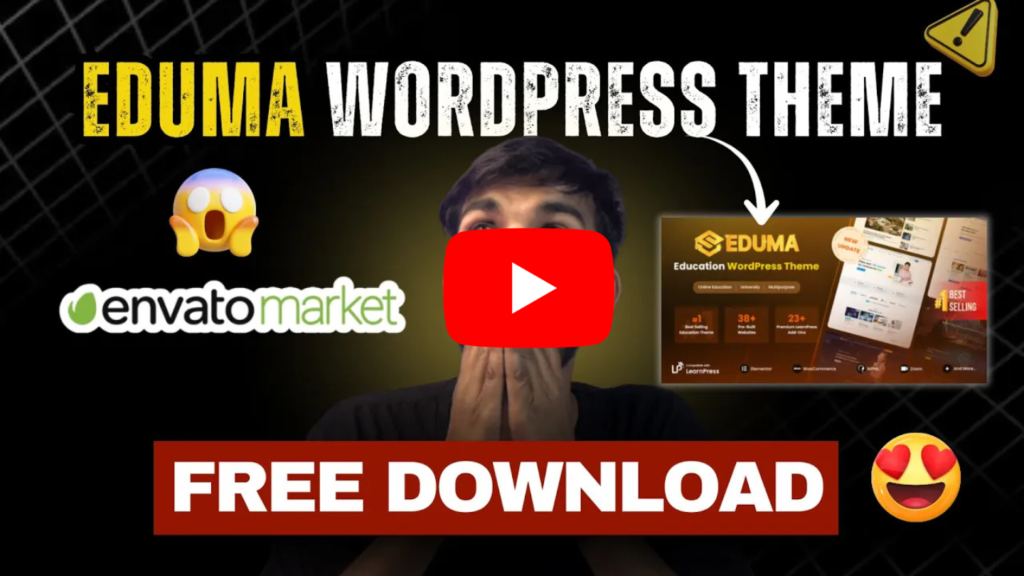
Eduma WordPress Theme – Complete Guide | Best LMS Education Theme ❤️

If you are planning to create an online learning website, choosing the right WordPress theme is very important. One of the most popular and powerful education themes available today is Eduma WordPress Theme. Developed for schools, universities, coaching institutes, and online course platforms, Eduma is a complete Learning Management System (LMS) theme that helps you build a professional education website easily. What is Eduma WordPress Theme? Eduma is a premium education WordPress theme available on Envato Market. It is specially designed for creating: The theme is powered by LearnPress LMS plugin, which allows you to create and manage online courses without coding knowledge. Key Features of Eduma Theme 1. Complete LMS Integration Eduma comes with LearnPress, one of the best free LMS plugins. You can: 2. Pre-Built Demo Websites Eduma offers multiple ready-made demo layouts like: You can import demos in one click and customize easily. 3. User-Friendly Design The theme has a clean and modern design that improves user experience. It is: 4. WooCommerce Integration You can sell courses using WooCommerce, including: 5. Drag & Drop Page Builder Eduma supports popular builders like: You can design pages easily without coding. 6. SEO Optimized The theme is built with SEO best practices, helping your website rank better on Google. Eduma Theme Pricing (Envato Market) Eduma is a premium theme, and you can purchase it legally from: 👉 Envato Market Typical price: This includes: Can You Download Eduma Theme for Free? 👉 Recommended: Always use the official version from Envato Market. How to Install Eduma Theme Step 1: Purchase & Download Buy the theme from Envato and download the ZIP file. Step 2: Upload to WordPress Step 3: Install Required Plugins Install: Step 4: Import Demo Use the demo importer to create a ready-made website. Why Choose Eduma for Your Website? ✔ Perfect for online courses✔ Easy to use for beginners✔ Professional design✔ Affordable pricing✔ Powerful LMS features Conclusion The Eduma WordPress Theme is one of the best solutions for creating an education or LMS website. With powerful features, modern design, and easy customization, it helps you build a professional online learning platform without technical skills. If you are serious about starting an online course business, Eduma is definitely worth considering.

WordPress Themes

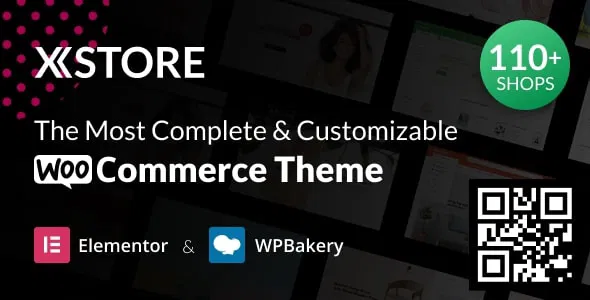
How to Use XStore Theme in WordPress (Beginner-Friendly Guide)

If you want to build a professional eCommerce website using WordPress, XStore Theme is one of the most popular choices. It is specially designed for WooCommerce and offers ready-made demos, design flexibility, and powerful customization options. In this guide, you’ll learn step-by-step how to install and use XStore theme in WordPress — even if you are a beginner. 1. Requirements Before You Start Before installing XStore, make sure you have: Most hosting providers offer one-click WordPress installation, so setting it up is usually simple. 2. Install the XStore Theme Once WordPress is installed, follow these steps: Step 1: Upload the Theme After activation, you’ll see a setup wizard or theme welcome page. 3. Install Required Plugins XStore works best with some recommended plugins. After activation: Click Install and then Activate. These plugins help you build product pages, customize layouts, and manage your store. 4. Import a Demo Website One of the best features of XStore is its ready-made demos. To import a demo: The theme will automatically import pages, layouts, images, and settings. This saves a lot of time because your website will look almost complete. 5. Set Up WooCommerce Since XStore is built for eCommerce, WooCommerce setup is important. Basic WooCommerce setup: Add Products: You can also create product categories and tags for better organization. 6. Customize Your Website Design XStore allows deep customization without coding. Using Theme Options: Changes are visible in real time. Using Elementor (Page Builder): You can fully design homepage, landing pages, and banners. 7. Customize Header and Footer Your header and footer are important for branding. Header Customization: Footer Customization: You can also edit footer via Elementor if demo supports it. 8. Optimize for Mobile Most visitors browse from mobile devices. XStore is responsive, but you should still check: Mobile optimization improves user experience and sales. 9. Improve Speed and Performance A fast website ranks better and converts more customers. Tips to improve speed: Speed optimization is very important for eCommerce success. 10. Add Essential Pages Every online store should have: These pages build trust and make your store look professional. 11. Final Testing Before Launch Before going live: Once everything works properly, your store is ready to launch. Conclusion Using XStore theme in WordPress is simple if you follow the correct steps. From installation and demo import to WooCommerce setup and customization, the theme provides powerful tools to create a professional eCommerce website without coding. With proper design, mobile optimization, and speed improvements, you can build a fully functional online store that looks modern and performs well. If you stay consistent and keep updating your products and content, your WordPress website can grow into a successful online business.

WordPress Themes

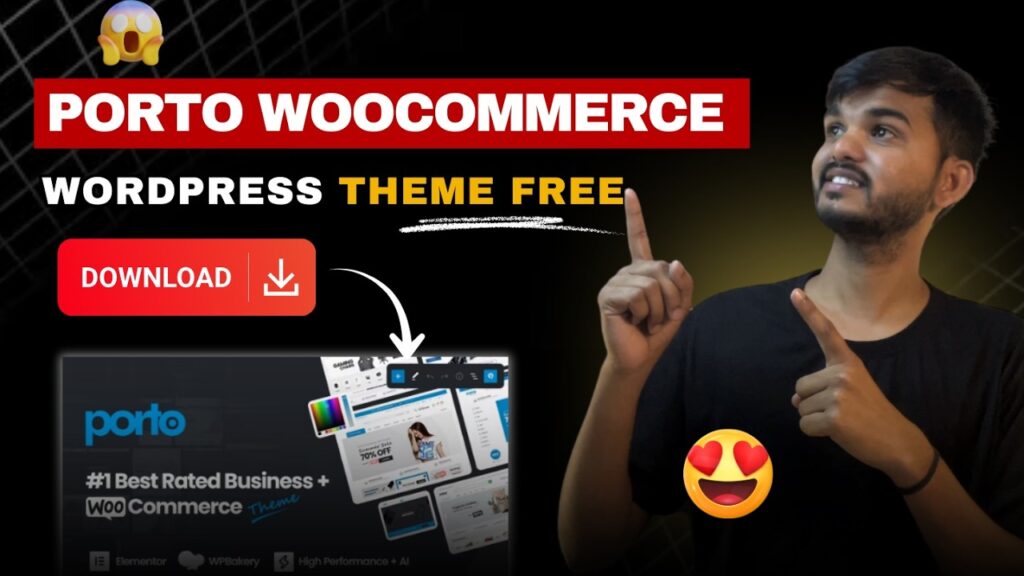
Porto WordPress Theme का उपयोग कैसे करें – Complete Hindi Guide

Porto WordPress Theme एक लोकप्रिय और powerful premium theme है, जिसका उपयोग business websites, eCommerce stores, blogs और portfolio sites के लिए किया जाता है। इस लेख में हम सीखेंगे कि Porto WordPress Theme को सही तरीके से कैसे install, setup और use किया जाए। Porto WordPress Theme क्या है? Porto एक multi-purpose WordPress theme है जो speed, flexibility और modern design के लिए जाना जाता है। यह theme खास तौर पर WooCommerce websites के लिए बहुत अच्छी मानी जाती है। इसमें आपको pre-built demos, drag-and-drop page builder और advanced customization options मिलते हैं। Porto WordPress Theme कैसे Install करें? Porto theme को install करने के लिए नीचे दिए गए steps follow करें: Step 1: Theme Upload करें सबसे पहले WordPress dashboard में जाएं।अब Appearance → Themes → Add New → Upload Theme पर क्लिक करें।Porto theme की ZIP file upload करके Install Now पर क्लिक करें। Step 2: Theme Activate करें Installation complete होने के बाद Activate बटन पर क्लिक करें। Required Plugins कैसे Install करें? Theme activate करने के बाद Porto आपको कुछ जरूरी plugins install करने के लिए कहेगा। Important plugins: सभी plugins को एक-एक करके install और activate करें। Demo Import कैसे करें? Porto theme की सबसे बड़ी खासियत इसका demo importer है। Demo Import Steps: Demo import के बाद आपकी website बिल्कुल ready layout में दिखने लगेगी। ⏳ Download Link पाने के लिए Timer पूरा होने दें 10 👉 Click Here to Download Porto Theme Customization कैसे करें? Customization के लिए: Porto theme आपको बिना coding के website design करने की सुविधा देता है। Porto Theme में Page कैसे Edit करें? अगर आप Elementor या WPBakery use कर रहे हैं तो: Porto Theme SEO और Speed के लिए क्यों अच्छा है? Porto theme SEO-friendly structure पर बना है।यह fast loading, mobile responsive और clean code का उपयोग करता है। SEO के लिए फायदे: Conclusion Porto WordPress Theme beginners और professionals दोनों के लिए एक बेहतरीन option है। अगर आप बिना ज्यादा technical knowledge के professional website बनाना चाहते हैं, तो Porto theme आपके लिए सही choice है।

WordPress Plugin, WordPress Themes

High Earning Blog के लिए AdSense Friendly WordPress Themes

आज के समय में ब्लॉगिंग सिर्फ लिखने तक सीमित नहीं है, बल्कि यह एक High Earning Online Business बन चुकी है। हजारों bloggers Google AdSense के जरिए हर महीने अच्छी कमाई कर रहे हैं।लेकिन AdSense से अच्छी earning के लिए सिर्फ अच्छा content ही नहीं, बल्कि AdSense Friendly WordPress Theme भी उतनी ही ज़रूरी होती है। अगर आप भी जानना चाहते हैं किHigh Earning Blog के लिए कौन-सी WordPress Themes सबसे best हैं,तो यह ब्लॉग आपके लिए एक complete guide है। AdSense Friendly WordPress Theme क्या होती है? AdSense Friendly Theme वह होती है: Simple शब्दों में:जो theme ads + content का balance बनाए रखे, वही AdSense friendly होती है। High Earning Blog के लिए सही Theme क्यों ज़रूरी है? गलत theme होने पर: सही Theme के फायदे: AdSense Friendly WordPress Theme में क्या-क्या होना चाहिए? 1️⃣ Clean और Content-Focused Design Theme बहुत ज्यादा heavy या flashy नहीं होनी चाहिए। Content center में होना चाहिए। 2️⃣ Fast Loading Speed Slow website पर AdSense earning बहुत कम होती है। Speed सबसे important factor है। 3️⃣ SEO Friendly Structure Proper headings, schema support और clean HTML code जरूरी है। 4️⃣ Multiple Ad Placement Options Header, sidebar, in-content और footer में ads लगाने की सुविधा हो। 5️⃣ Mobile Responsive Design Mobile traffic आज सबसे ज्यादा revenue देता है। High Earning Blog के लिए Best AdSense Friendly WordPress Themes नीचे कुछ ऐसी WordPress themes दी गई हैं जो AdSense approval और earning दोनों के लिए best मानी जाती हैं: ✅ 1. Astra Astra सबसे popular AdSense friendly WordPress theme है। क्यों best है? Best for: Blogging, niche sites, authority blogs ✅ 2. GeneratePress GeneratePress high earning bloggers की पहली पसंद है। Highlights: Best for: AdSense focused blogs ✅ 3. Kadence Kadence modern design के साथ AdSense optimization देती है। Features: Best for: Long-term blogging projects ✅ 4. Neve Neve mobile-first AdSense friendly theme है। Advantages: Best for: Mobile traffic blogs ✅ 5. Hueman Hueman खास तौर पर content और ads balance के लिए जानी जाती है। Highlights: Best for: News और content-heavy blogs ✅ 6. Newspaper-Style Lightweight Themes Simple newspaper-style themes AdSense earning के लिए बहुत effective होती हैं क्योंकि: Free vs Premium AdSense Friendly Themes Feature Free Themes Premium Themes Cost Free Paid Ad Placement Options Limited Advanced Speed Optimization Good Excellent CTR Potential Medium High Support Limited Professional 👉 Beginners free AdSense friendly theme से शुरू कर सकते हैं, लेकिन high earning goal के लिए premium theme बेहतर होती है। AdSense Earning बढ़ाने के लिए Theme के साथ क्या करें? ✔️ सही Ad Placement ✔️ Content Length बढ़ाएं Long content में ads naturally fit होते हैं। ✔️ Mobile Speed Optimize करें Mobile traffic = ज्यादा clicks ✔️ Clean UI रखें Cluttered design CTR कम कर देता है। AdSense Friendly Theme से Approval में मदद मिलती है? हाँ, बिल्कुल।अगर आपकी theme: तो AdSense approval chances काफी बढ़ जाते हैं। Beginners के लिए Best AdSense Friendly Themes अगर आप नया blog शुरू कर रहे हैं: ये themes easy setup, fast performance और AdSense safe layout देती हैं। निष्कर्ष (Conclusion) अगर आपका goal है: तो AdSense Friendly WordPress Theme चुनना सबसे जरूरी step है। 👉 Astra और GeneratePress high earning bloggers की सबसे trusted themes हैं।👉 याद रखें:Good Theme + SEO Content + Right Ads Placement = High Earning Blog

WordPress Plugin, WordPress Themes

WooCommerce Store के लिए Best WordPress eCommerce Themes

आज के समय में Online Store शुरू करना पहले से कहीं आसान हो गया है, और इसका सबसे बड़ा कारण है WordPress + WooCommerce। लेकिन एक सफल eCommerce Store बनाने के लिए सिर्फ products डालना ही काफी नहीं है। इसके लिए आपको चाहिए एक Fast, Professional और SEO Friendly WordPress eCommerce Theme। अगर आप भी सोच रहे हैं किWooCommerce Store के लिए Best WordPress eCommerce Themes कौन-सी हैं,तो यह ब्लॉग आपके लिए पूरी guide है। WooCommerce क्या है? WooCommerce WordPress का सबसे popular eCommerce plugin है, जिसकी मदद से आप: लेकिन WooCommerce का पूरा फायदा तभी मिलता है, जब आपकी website पर सही eCommerce WordPress Theme लगी हो। eCommerce Website के लिए सही Theme क्यों ज़रूरी है? WooCommerce Store में theme सिर्फ design नहीं, बल्कि sales और user experience को भी प्रभावित करती है। सही Theme के फायदे: अगर theme slow या poorly designed होगी, तो customers बिना खरीदे ही site छोड़ देंगे। WooCommerce Theme चुनते समय किन बातों का ध्यान रखें? 1️⃣ Fast Loading Speed Slow eCommerce site का मतलब है lost sales। Theme lightweight और optimized होनी चाहिए। 2️⃣ WooCommerce Compatibility Theme पूरी तरह WooCommerce compatible होनी चाहिए ताकि cart, checkout और product pages सही से काम करें। 3️⃣ Mobile Responsive Design आज 70% से ज़्यादा लोग mobile से shopping करते हैं, इसलिए responsive theme ज़रूरी है। 4️⃣ SEO Friendly Structure SEO optimized theme Google में products को rank कराने में मदद करती है। 5️⃣ Customization Options Store का look आपके brand के अनुसार होना चाहिए — colors, fonts, layout easily change हो सकें। WooCommerce Store के लिए Best WordPress eCommerce Themes नीचे 2025–2026 के लिए कुछ Best WooCommerce WordPress Themes दिए गए हैं जो fast, reliable और beginner friendly हैं। ✅ 1. Astra Astra WooCommerce के लिए सबसे popular और trusted theme है। Features: Best for: All types of online stores ✅ 2. GeneratePress अगर आपको speed और performance सबसे ज़्यादा important लगती है, तो GeneratePress बेहतरीन है। Highlights: Best for: Performance focused stores ✅ 3. Kadence Kadence modern design और WooCommerce features का perfect balance है। Features: Best for: Brand focused eCommerce stores ✅ 4. OceanWP OceanWP एक powerful multipurpose WooCommerce theme है। Advantages: Best for: Multi-category online stores ✅ 5. Neve Neve एक fast और mobile-first WooCommerce theme है। Highlights: Best for: Small business & startups ✅ 6. Storefront Storefront official WooCommerce theme है। Why choose Storefront? Best for: Pure WooCommerce stores Free vs Premium WooCommerce Themes Feature Free Themes Premium Themes Cost Free Paid Speed Good Excellent Design Basic Professional Customization Limited Advanced Support Limited Dedicated Conversion Features Basic Advanced 👉 Beginners के लिए free WooCommerce themes काफी होती हैं, लेकिन serious online business के लिए premium theme बेहतर रहती है। WooCommerce Theme के साथ Store Speed कैसे बढ़ाएं? सिर्फ अच्छी theme काफी नहीं है। आपको ये steps भी follow करने होंगे: SEO के लिए Best WooCommerce Theme कौन-सी है? अगर आपका goal है: तो ये themes best मानी जाती हैं: इन themes का code clean होता है और ये SEO plugins के साथ अच्छे से काम करती हैं। Beginners के लिए Best WooCommerce Theme अगर आप नया online store शुरू कर रहे हैं, तो: ये themes easy setup, fast performance और stable results देती हैं। निष्कर्ष (Conclusion) एक successful WooCommerce Store बनाने के लिए सही WordPress eCommerce Theme चुनना सबसे पहला और सबसे जरूरी कदम है। 👉 अगर आप beginner हैं, तो Free WooCommerce themes से शुरुआत करें।👉 अगर आप long-term online business बनाना चाहते हैं, तो Premium WooCommerce theme में invest करें। याद रखें:Fast Theme + Good Products + SEO Optimization = Successful Online Store

WordPress Themes, WordPress Plugin

Free vs Premium WordPress Theme – कौन बेहतर है और क्यों?

जब कोई नया व्यक्ति WordPress पर वेबसाइट या ब्लॉग शुरू करता है, तो सबसे पहला सवाल यही आता है –Free WordPress Theme लें या Premium WordPress Theme? दोनों के अपने फायदे और नुकसान हैं। लेकिन सही चुनाव आपकी website goal, budget और future planning पर निर्भर करता है।इस ब्लॉग में हम विस्तार से समझेंगे: WordPress Theme क्या होती है? WordPress Theme आपकी वेबसाइट का design, layout, colors, fonts और overall look तय करती है।साथ ही, theme आपकी website की speed, SEO performance और user experience पर भी सीधा असर डालती है। एक सही theme आपकी वेबसाइट को: Free WordPress Theme क्या होती है? Free WordPress Themes वो themes होती हैं जो आपको बिना पैसे दिए मिल जाती हैं। ये themes WordPress.org पर आसानी से उपलब्ध होती हैं। Free Theme के फायदे ✅ 1. पूरी तरह Free आपको कोई investment नहीं करनी पड़ती, जो beginners के लिए सबसे बड़ा फायदा है। ✅ 2. Beginner Friendly Simple design और basic features होने की वजह से नए users आसानी से इस्तेमाल कर सकते हैं। ✅ 3. SEO के लिए ठीक आजकल कई free themes SEO optimized होती हैं और अच्छी speed देती हैं। ✅ 4. WordPress Approved WordPress.org पर उपलब्ध themes security और quality check से गुजरती हैं। Free Theme के नुकसान ❌ Limited customization options❌ Advanced features नहीं मिलते❌ Support limited या community based होता है❌ Long-term scaling में दिक्कत आ सकती है Premium WordPress Theme क्या होती है? Premium WordPress Themes वो themes होती हैं जिन्हें खरीदना पड़ता है। ये professional websites और businesses के लिए बनाई जाती हैं। Premium Theme के फायदे ✅ 1. Advanced Design & Features Premium themes में modern layouts, animations और advanced options मिलते हैं। ✅ 2. Better SEO & Speed Optimization Premium themes usually clean code और performance optimization के साथ आती हैं। ✅ 3. Full Customization Control Colors, fonts, headers, footers, layouts – सब कुछ अपने हिसाब से बदल सकते हैं। ✅ 4. Professional Support Technical problem आने पर direct support और regular updates मिलते हैं। Premium Theme के नुकसान ❌ Cost होती है (एक-time या yearly)❌ Beginners के लिए options थोड़े complex लग सकते हैं Free vs Premium WordPress Theme – तुलना (Comparison) Feature Free Theme Premium Theme Price Free Paid Design Simple Professional Customization Limited Advanced SEO Support Good Excellent Speed Optimization Basic Advanced Support Limited Dedicated Updates Occasional Regular Blogging के लिए Free या Premium Theme? अगर आप: 👉 तो Free WordPress Theme आपके लिए काफी है। लेकिन अगर आप: 👉 तो Premium Theme बेहतर option है। Business Website के लिए कौन-सी Theme बेहतर है? Business websites में credibility और performance सबसे ज्यादा मायने रखती है। ✔️ Professional design✔️ Fast loading speed✔️ SEO optimization✔️ Security & support 👉 इसलिए Business Website के लिए Premium WordPress Theme ज़्यादा बेहतर होती है। SEO के लिए Free vs Premium Theme कौन-सी बेहतर? सच यह है कि: लेकिन: 👉 अगर SEO आपका main goal है, तो Premium Theme long-term में बेहतर results देती है। Beginners के लिए सही चुनाव कैसे करें? Free Theme चुनें अगर: Premium Theme चुनें अगर: क्या Free Theme से Professional Website बन सकती है? हाँ, बिल्कुल बन सकती है।आज कई free themes इतनी अच्छी हैं कि सही plugins और content के साथ professional website तैयार की जा सकती है। लेकिन जैसे-जैसे website grow होती है, Premium Theme की जरूरत महसूस होने लगती है। निष्कर्ष (Conclusion) Free vs Premium WordPress Theme – कौन बेहतर है?इसका जवाब एक ही है: 👉 Beginners और learners के लिए Free Theme सही है।👉 Serious bloggers, businesses और professionals के लिए Premium Theme बेहतर है। सबसे ज़रूरी बात यह है कि: क्योंकि सही theme आपकी website की नींव होती है।

WordPress Plugin, WordPress Themes

Fast Loading WordPress Theme कौन सा है? (Speed Optimization Guide)

आज के डिजिटल युग में वेबसाइट की loading speed सबसे बड़ा ranking factor बन चुकी है। अगर आपकी WordPress वेबसाइट slow है, तो visitors तुरंत site छोड़ देते हैं और Google भी आपकी ranking नीचे कर देता है।यही कारण है कि हर website owner का सवाल होता है —Fast Loading WordPress Theme कौन सा है? इस ब्लॉग में हम जानेंगे: Website Speed क्यों ज़रूरी है? Website speed सिर्फ user experience के लिए ही नहीं, बल्कि SEO और conversions के लिए भी बहुत important है। Slow Website के नुकसान: Fast Website के फायदे: Google खुद कह चुका है कि fast loading websites को priority दी जाती है। Fast Loading WordPress Theme क्या होती है? Fast WordPress Theme वह होती है: Simple शब्दों में —कम code + clean design = fast theme Fast Loading WordPress Theme चुनते समय ध्यान देने वाली बातें 1️⃣ Lightweight Structure Theme का size जितना कम होगा, website उतनी fast load होगी। 2️⃣ Clean Code Poor coding वाली theme site को slow कर देती है। 3️⃣ Page Builder Compatibility Theme Elementor या Gutenberg जैसे builders को support करे। 4️⃣ Mobile First Design Mobile speed अब desktop से भी ज़्यादा important है। 5️⃣ Regular Updates Outdated theme speed और security दोनों को नुकसान पहुंचाती है। Fast Loading WordPress Themes (Best Options) नीचे कुछ ऐसी WordPress themes दी गई हैं जो speed और performance के लिए जानी जाती हैं: ✅ 1. Astra Astra आज की सबसे popular fast WordPress themes में से एक है। क्यों fast है? Best for: Blogs, Business, Portfolio ✅ 2. GeneratePress GeneratePress speed lovers के लिए best choice है। Highlights: Best for: Professional websites & bloggers ✅ 3. Kadence Kadence speed और design का perfect balance देती है। Features: Best for: Business & content websites ✅ 4. Neve Neve AMP ready और super fast theme है। Advantages: Best for: Small business & startups ✅ 5. Blocksy Blocksy modern speed-optimized WordPress theme है। Why choose Blocksy? Best for: Tech & personal blogs Fast Theme होने के बावजूद Website Slow क्यों होती है? कई बार theme fast होती है, लेकिन site फिर भी slow रहती है। इसके कारण: इसलिए सिर्फ fast theme काफी नहीं है। WordPress Speed Optimization Guide (Step-by-Step) 🔹 1. Good Hosting चुनें Cheap hosting website speed को मार देती है। ✔️ SSD hosting✔️ LiteSpeed या Cloud hosting 🔹 2. Cache Plugin Use करें Cache plugin website को instantly fast बनाता है। ✔️ Page caching✔️ Browser caching✔️ Gzip compression 🔹 3. Image Optimization करें Heavy images सबसे बड़ा speed killer होती हैं। ✔️ Compress images✔️ Use WebP format✔️ Lazy loading enable करें 🔹 4. Plugins कम रखें ज्यादा plugins = ज्यादा load time ✔️ Only जरूरी plugins रखें✔️ Unused plugins delete करें 🔹 5. CDN का इस्तेमाल करें CDN आपकी website को global speed देता है। ✔️ Faster loading worldwide✔️ Reduced server load Free Theme vs Paid Theme – Speed Comparison Feature Free Theme Paid Theme Speed Fast Faster Code Optimization Good Advanced Customization Limited High Performance Settings Basic Advanced 👉 Beginners के लिए free fast themes भी काफी हैं। Fast Loading Theme किसे चुननी चाहिए? निष्कर्ष (Conclusion) अगर आप चाहते हैं कि आपकी WordPress website: तो Fast Loading WordPress Theme चुनना सबसे पहला और सबसे ज़रूरी कदम है। 👉 Astra, GeneratePress, Kadence और Neve जैसी themes speed और SEO दोनों के लिए best मानी जाती हैं।👉 लेकिन याद रखें, Theme + Hosting + Optimization = Fast Website

WordPress Plugin, WordPress Themes

Business Website के लिए Professional WordPress Themes कैसे चुनें

आज की डिजिटल दुनिया में जब हर बिज़नेस ऑनलाइन प्रेज़ेंस चाहता है, तो एक Professional Business Website होना बेहद ज़रूरी है। WordPress दुनिया का सबसे लोकप्रिय CMS (Content Management System) है, और इसके कारण हजारों businesses आसानी से अपनी वेबसाइट बना लेते हैं। लेकिन एक अच्छी वेबसाइट बनाने के लिए सिर्फ WordPress होना काफी नहीं है — आपको सही WordPress Theme चुनने की जरूरत होती है। Theme का प्रभाव आपकी वेबसाइट के लुक, स्पीड, SEO और यूज़र एक्सपीरियंस पर होता है। अगर आप भी सोच रहे हैं कि Business Website के लिए Professional WordPress Themes कैसे चुनें, तो यह ब्लॉग आपके लिए है। यहां हम step-by-step समझेंगे कि सही theme किस प्रकार चुनें और कौन-सी चीज़ें ध्यान में रखें। WordPress Theme क्या होती है? WordPress Theme आपकी वेबसाइट का design, layout और यूज़र इंटरफ़ेस तय करती है। यह आपकी वेबसाइट को professional, आकर्षक और functional बनाती है। एक अच्छी theme आपके बिज़नेस को credibility देती है और visitors के engagement को बढ़ाती है। Professional WordPress Theme चुनते समय किन बातों पर ध्यान दें? ✅ 1. Speed और Performance आज Google और users दोनों तेज़ वेबसाइट चाहते हैं। Slow loading साइट SEO ranking पर negative असर डालती है। ✔️ हल्की (lightweight) theme चुनें✔️ Minimal code structure हो✔️ Page load time कम हो ✅ 2. SEO Friendly Structure SEO (Search Engine Optimization) आपके वेबसाइट traffic का स्तंभ है। Theme SEO optimized होने पर search engines आपकी वेबसाइट को आसानी से समझ और rank कर सकते हैं। ✔️ Clean HTML code✔️ Proper heading structure (H1, H2, H3)✔️ Schema markup support ✅ 3. Mobile Responsive Design आज लगभग 70-80% लोग मोबाइल से वेबसाइट देखते हैं। इसलिए responsive design अनिवार्य है। ✔️ Theme सभी devices पर सही दिखे✔️ Zoom और scroll में कोई glitch न आए ✅ 4. Customization और Flexibility हर बिज़नेस की अलग ज़रूरत होती है। इसलिए theme में customization options होना ज़रूरी है। ✔️ Color & typography options✔️ Header & footer editor✔️ Page builder support (Elementor, Gutenberg आदि) ✅ 5. Plugin Compatibility WordPress site functionality plugins पर निर्भर होती है — जैसे SEO plugins, Cache plugins, Security plugins आदि। ✔️ Theme popular plugins के साथ compatible हो✔️ Regular updates मिले ✅ 6. Support और Documentation कभी-कभी technical issues आते हैं। तब अच्छे support और documentation से वेबसाइट setup आसान हो जाता है। ✔️ Developer support उपलब्ध हो✔️ Detailed user guides और tutorials Business Website के लिए Recommended Professional WordPress Themes यहाँ हम कुछ बेहतरीन professional WordPress themes की लिस्ट दे रहे हैं: 💼 1. Astra Features:✔️ Ultra-fast performance✔️ SEO optimized✔️ Page builder friendly✔️ Business site templates 👉 Astra बिज़नेस वेबसाइट के लिए एक बेहतरीन और beginner-friendly choice है। 🧩 2. GeneratePress Highlights:✔️ Lightweight design✔️ Fast loading speed✔️ Developer-friendly code✔️ Strong SEO structure 👉 अगर आप speed और performance की तरफ ध्यान देते हैं, तो यह theme perfect है। 🚀 3. Kadence Features:✔️ Modern UI✔️ Header builder✔️ Built-in customization✔️ WooCommerce support 👉 E-commerce या service-based business websites के लिए यह बहुत flexible theme है। 🎨 4. OceanWP Highlights:✔️ Multipurpose theme✔️ SEO optimized✔️ Lots of layouts✔️ Custom widgets 👉 अगर आप multipurpose website चाहते हैं, तो OceanWP एक अच्छा विकल्प है। 📈 5. Neve Advantages:✔️ Mobile first design✔️ AMP compatible✔️ Fast & light✔️ Many starter sites 👉 Neve theme especially small business owners के लिए perfect है। Free Themes vs Paid Themes — कौन-सी चुनें? Feature Free Themes Paid Themes Cost Free Paid Customization Limited High Support Basic Advanced SEO Optimization Good Advanced Speed Good Excellent Updates Limited Regular 👉 Beginners के लिए Free Themes काफी अच्छे हैं। लेकिन अगर आप long-term, professional और advanced features चाहते हैं, तो Premium Theme लेना बेहतर है। Business Website Theme चुनने की Checklist ✔️ Fast loading✔️ SEO optimized✔️ Mobile responsive✔️ Easy customization✔️ Plugin compatibility✔️ Support और updates अगर आपकी chosen theme इन सभी features को पूरा करती है, तो आपकी website foundation बहुत मजबूत होगी। Professional Website बनाने के बाद क्या करें? ✔️ SEO Plugins Install करें जैसे Yoast SEO, Rank Math आदि — ये आपकी content को optimize करने में मदद करेंगे। ✔️ Cache Plugin Setup करें जैसे WP-Super Cache या W3 Total Cache — यह loading speed बढ़ाएगा। ✔️ Secure Website रखें Security plugin लगाकर site को safe रखें — जैसे Wordfence या Sucuri। निष्कर्ष (Conclusion) एक Professional Business Website के लिए सही WordPress Theme चुनना सबसे महत्वपूर्ण कदम है। Theme जितनी fast, flexible और SEO friendly होगी, आपकी website उतनी ही बेहतर performance देगी। 👉 Beginners के लिए Astra, GeneratePress और Kadence जैसे themes सबसे reliable और scalable विकल्प हैं।👉 Advanced bloggers और business owners के लिए Premium Themes और customization options बेहतर results देंगे।

WordPress Plugin, WordPress Themes

Blogging के लिए Top 10 WordPress Themes (Beginner Friendly Guide)

आज के समय में ब्लॉगिंग सिर्फ शौक नहीं, बल्कि एक करियर और ऑनलाइन इनकम का बेहतरीन जरिया बन चुकी है। लेकिन ब्लॉग शुरू करने से पहले सबसे ज़रूरी फैसला होता है – सही WordPress Theme चुनना। अगर आप एक beginner हैं, तो heavy और complicated theme आपके लिए परेशानी बन सकती है। इसलिए इस ब्लॉग में हम जानेंगे Blogging के लिए Top 10 WordPress Themes, जो beginner friendly, fast, SEO optimized और easy to use हैं। WordPress Theme क्या होती है? WordPress Theme आपकी वेबसाइट का डिज़ाइन, लेआउट, स्पीड और यूज़र एक्सपीरियंस तय करती है। एक अच्छी theme आपके ब्लॉग को professional बनाती है और Google ranking में मदद करती है। Blogging के लिए अच्छी Theme क्यों ज़रूरी है? Blogging Beginners को Theme चुनते समय क्या देखना चाहिए? 1. Simple और Clean Design Blogging में content सबसे important होता है, इसलिए theme clutter-free होनी चाहिए। 2. SEO Friendly Structure Proper headings, fast loading और clean code SEO के लिए ज़रूरी है। 3. Easy Customization Beginner के लिए drag & drop या easy options वाली theme बेहतर होती है। 4. Mobile Responsive आज ज़्यादातर लोग मोबाइल से ब्लॉग पढ़ते हैं, इसलिए responsive theme जरूरी है। Blogging के लिए Top 10 WordPress Themes (Beginner Friendly) 1. Astra Astra एक lightweight और सबसे popular blogging theme है। क्यों चुनें? Best for: Personal & Professional Blogs 2. GeneratePress Minimal design पसंद करने वालों के लिए GeneratePress शानदार विकल्प है। Highlights: Best for: Long-form blogging 3. Kadence Kadence 2026 में blogging के लिए तेजी से popular हो रही है। Features: Best for: Lifestyle & Niche Blogs 4. Neve Neve theme beginners के लिए बहुत easy और fast है। फायदे: Best for: New bloggers 5. Blocksy Blocksy modern bloggers के लिए एक fresh theme है। खास बातें: Best for: Tech & Personal Blogs 6. OceanWP OceanWP एक multipurpose theme है जो blogging के लिए भी बेहतरीन है। Features: Best for: Multi-category blogs 7. Hueman अगर आप magazine style blogging करना चाहते हैं, तो Hueman अच्छा विकल्प है। Highlights: Best for: News & Content-rich Blogs 8. Zakra Zakra एक lightweight और easy to use theme है। क्यों उपयोग करें? Best for: Beginners & Students 9. Ashe Ashe खासकर personal और lifestyle bloggers के लिए बनाई गई है। Features: Best for: Fashion & Travel Blogs 10. Writee Writee एक simple और elegant blogging theme है। Highlights: Best for: New bloggers & writers Free Blogging Themes vs Paid Themes Feature Free Theme Paid Theme Cost Free Paid Beginner Friendly Yes Yes SEO Support Good Advanced Customization Limited More Support Limited Premium 👉 Beginners के लिए Free WordPress Themes blogging के लिए पर्याप्त होती हैं। Blogging में SEO के लिए Theme कितनी ज़रूरी है? Theme SEO की foundation होती है। अगर theme fast और clean होगी तो: लेकिन याद रखें, अच्छा content + सही theme = Successful Blog। निष्कर्ष (Conclusion) अगर आप blogging की शुरुआत कर रहे हैं, तो आपको heavy या complex theme की ज़रूरत नहीं है। ऊपर बताई गई Top 10 WordPress Themes beginner friendly, fast और SEO optimized हैं। 👉 Blogging beginners के लिए Astra, GeneratePress और Kadence सबसे safe और future-ready options हैं।

Scroll to Top